

How to clear your phone and alerts out of the way, work in single-task blocks with set check times, prime your brain with movement, put hard work in your alert peak, and rest your eyes in real breaks.
Doctor's Note: See a doctor if poor focus has lasted for months despite good habits, began in childhood and shows up at home and at work, or comes with low mood, constant tiredness or loud snoring. Long-running focus trouble can have causes that habits alone will not fix, and only a professional can check for them.
What Is Really Happening to Your Focus
You sit down to finally do the one task that matters. You open the file, read the first line, and your phone lights up on the desk. You only glance at it. Twenty minutes later you have answered two messages, checked the news and still not written a word.
This is not a lack of willpower. The evidence on the phone alone is mixed: one meta-analysis found an overall negative effect of smartphone use and presence on attention and memory, but the size of the effect changed a lot from study to study and from country to country [1]. The pattern that holds up best is simple: the less often you are pulled away, the better you feel and the more you get done [2][3].
The order of the steps matters. Steps 1 and 2 remove the pulls and give your attention one target. Step 3 primes your brain before the hardest work. Step 4 moves that work to the hours when your brain is sharpest. Step 5 refills attention between blocks. Step 6 makes it last.
Step 1: Get the Phone Out of the Room and Cut Alerts to People Only
WHY THIS MATTERS
A phone you can see is a phone you can check, and every ping drags part of your mind toward it, even when you ignore it. In a meta-analysis of 22 studies, using a smartphone, and simply having one present, had an overall negative effect on memory, attention and general thinking [1]. The same review found that the size of the effect differed by the kind of thinking tested and by where the studies were done, so how much a silent phone in sight costs you is still debated [1]. Distance removes the question: a phone in another room cannot pull you, whatever the true effect size.
- Before each focus block, put your phone in another room, or in a bag in another room. Face down on the desk does not count, because it stays in sight and in reach [1].
- Use a watch or a kitchen timer to keep time, so the phone is not your clock.
- Today, open your phone settings and switch off every notification that does not come from a real person: news, games, shopping, social likes and app reminders. Keep calls and messages from people, so you do not swap distraction for worry about missing something [2].
- If you must stay reachable, for a child, a sick parent or on-call work, leave the phone across the room with sound on for calls from your 3 to 5 key people only.
Within 1 week you get through a full focus block without touching your phone, and your daily pickups, shown in your phone's screen-time report, start to fall. Within 2 weeks you should feel more attentive and less pulled by your phone, the main gains seen with fewer, batched alerts [2].
Step 2: Work in Single-Task Blocks and Check Messages at Set Times
WHY THIS MATTERS
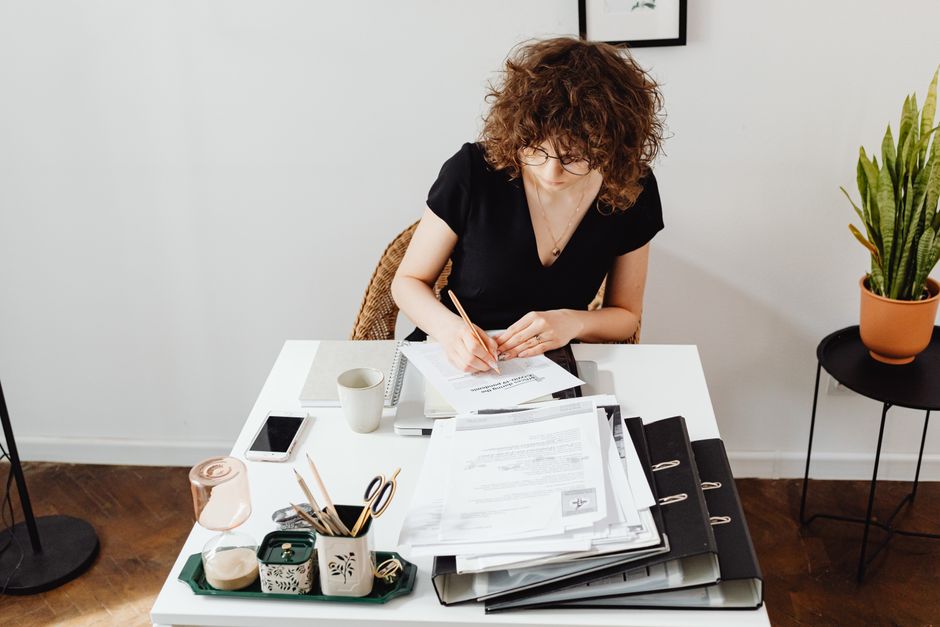
Hard work needs unbroken time, and a timer helps more than waiting until you "feel" like a break. In a Dutch study of 87 university students, those who took a 6-minute break after every 24 minutes of study reported less fatigue and distraction and more concentration than students who took breaks when they chose, and they finished the same tasks in less time [3]. Fixed blocks take one decision off your plate: you do not have to judge, every few minutes, whether you have earned a break.
- Choose one task. On paper, write its next action in a few words you could start right now: "write the first paragraph of the report", not "work on report".
- Set a timer for 25 minutes. When it rings, take a 5-minute break away from the screen, then start the next block. This is close to the 24-minute work, 6-minute break rhythm that helped students focus [3].
- Once 25 minutes feels easy most days, stretch to 50 minutes with a 10-minute break. Keep the ratio of about 1 minute of break for every 5 minutes of work.
- Keep a notepad next to you. When a stray thought pops up ("reply to Sam", "buy rice"), write it in 3 or 4 words and go straight back. Deal with the list in your next check slot.
- If someone interrupts you, take 30 seconds before you switch to write where you stopped and what comes next. When you return, read that line first.
- Pick 3 or 4 set times to open email and chat, for example 9:00, 12:00, 15:00 and 17:00. Close the apps in between, matching the 3-times-a-day batching in the trial [2].
- Start with one block a day. When you finish it most days for a week, add a second. Book both in your calendar like a meeting.
Within 2 weeks you finish most blocks without switching tasks, your stray-thought list catches most pulls, and your written note gets you back into interrupted work within a minute or two. Timed breaks should leave you less tired at the end of a study or work session [3].
Step 3: Prime Your Focus With 10 to 20 Minutes of Movement

WHY THIS MATTERS
A single bout of aerobic exercise does more than wake you up. Across 50 studies with 2,366 people, one session of aerobic exercise gave a small, real improvement in interference control, the part of attention that keeps distractions out while you work [4]. Harder efforts, such as vigorous exercise and interval training, gave the largest gains [4]. A second meta-analysis of 40 experiments found that moderate aerobic exercise made people both faster and more accurate on executive tasks right afterwards, and that unfit people benefited as much as fit people [7]. You do not need to be an athlete. You need to get your heart rate up before the work that needs your best attention.
- Choose your hardest block of the day. Just before it, walk briskly for 10 to 20 minutes: fast enough that you can talk but not sing [7].
- If you have stairs, a bike or a skipping rope, you can swap in a few short harder bursts, such as 30 seconds fast and 60 seconds easy, repeated 4 to 6 times. Higher intensities showed the largest gains [4].
- If you can, walk among trees, grass or water instead of a busy road, so the walk also refills attention (see Step 5) [8].
- Go straight from the walk into your focus block. Write the next action (Step 2) before you leave, so you can start the moment you sit down.
Within 2 weeks your first block after a walk should start faster and feel less "scattered". On a tracking sheet, walk days usually show slightly more deep-work minutes; expect a small edge, not a transformation [4][7].
Step 4: Put Your Hardest Task in Your Alert Peak
WHY THIS MATTERS
Your attention is not flat across the day. In a study of 56 adults, late chronotypes, or "night owls", did worse in the morning on vigilance and executive-function tasks than early types [5]. That means the classic advice to "do your hardest task first thing" fits early risers but can set night owls up to fail. Sleep matters even more. A meta-analysis of 70 papers and 147 tests found that a short night hits simple attention hardest, with more lapses, while complex reasoning suffers least [6]. After a short night, it is the basic "keep your mind on it" skill that breaks first.
- Find your peak. For 3 working days, rate your alertness from 1 to 10 at 9:00, 12:00, 15:00 and 18:00. Add the three days for each time slot. Your highest slot is your peak.
- Note whether you are a morning or evening person. If your peak is late in the day, that fits what researchers found in night owls [5].
- Put your hardest task in your peak every day and protect it from meetings. Move email, calls and admin to your lowest slots.
- If your job forces hard work into your low time, use Step 3 just before it, and shorten blocks to 25 minutes.
- After a short night, do your hardest work as early in your peak as you can, keep blocks to 25 minutes, and expect your mind to slip more often [6]. Save careful checking and big decisions for a rested day if you can.
Within 2 weeks your most important work lands in your best hours on most days, and your blocks there feel easier. On a short-night day you spot the extra lapses early and adjust the plan instead of blaming yourself.
Step 5: Rest Your Eyes and Mind in Screen-Free Breaks
WHY THIS MATTERS
The break between blocks is where attention refills, and what you do in it decides how much. A systematic review of 42 studies found that time in natural settings improved working memory and mental flexibility, with low to moderate effects, and real nature may restore more than pictures or videos of it [8]. Scrolling in a break keeps your eyes and attention on the same screen you just left.
Your eyes need breaks from the screen too, or tired eyes end a focus block early. In a 2-week study of 29 computer users with eye symptoms, reminders to follow the 20-20-20 rule, every 20 minutes look about 6 metres (20 feet) away for 20 seconds, made people take more breaks and cut digital eye strain and dry-eye symptoms [9]. The gain was gone one week after the reminders stopped [9], so the habit has to stay.
- Every 20 minutes during screen work, look out of a window or across the room at something at least 6 metres away for 20 seconds [9].
- Set a quiet repeating reminder for this, because the benefit faded once reminders stopped [9].
- In your 5 or 10-minute block breaks (Step 2), stand up, leave the screen and do not fill the break with scrolling.
- Once a day, take a 10 to 20-minute break outside among trees, grass or water: a park, a river path or a green street rather than a busy road [8]. Leave the phone in your pocket.
Within 2 weeks your eyes feel less tired at the end of the day, and you come back from breaks fresher than after a scroll. Expect the eye benefit to last only while you keep the habit [9].
Step 6: Make It Stick: Track Deep-Work Minutes
WHY THIS MATTERS
The steps above only help if you keep them. One number tells you whether they are working: minutes of real focus on your most important task. The eye-break benefit disappeared within a week of stopping [9], and the gains from batched alerts came while people kept the batching [2]. Focus habits behave the same way: they hold while you practise them.
- Each evening for 7 days, write one number: your deep-work minutes on your most important task, counting only time with the phone out of the room and no switching.
- Next to it, tick which steps you used that day: phone away, set check times, priming walk, peak slot, screen-free breaks.
- On day 7, work out your daily average. That is your baseline.
- Keep logging. Check your average again on day 21 and day 42. Aim to double your baseline by day 42.
By day 21 you know which two steps raise your deep-work minutes most for you, and by day 42 your average is clearly above your baseline.
What to Do Next
- Today: put your phone in another room for one 25-minute block and turn off every notification that is not from a person.
- This week: run the 3-day peak test and book your hardest task into your peak.
- Next: read the articles in Go further below for the topics this article only touches.
Myths
Myth 1: "A phone face down on the desk is fine."
The research is mixed on how much a silent phone in sight costs you, but the overall effect of phone use and presence on attention and memory was negative [1]. Another room removes the question.
Myth 2: "The best fix is to turn off every notification."
People who got no notifications at all felt more anxious and afraid of missing out. Batching notifications into 3 set times worked better [2].
Myth 3: "Breaks should be taken when you feel tired."
Students on fixed breaks after every 24 minutes felt less tired and distracted than students who chose their own breaks [3].
Myth 4: "You have to be fit for exercise to help your focus."
Low-fit and high-fit people gained in a similar way from a single session of moderate aerobic exercise [7].
FAQ
Do I need to give up my phone?
No. Keep it out of the room during focus blocks and keep alerts from people on [1][2]. The rest of the day you can use it as normal at your check times.
Is 25 minutes the right block length for everyone?
It is a starting point close to the 24-minute rhythm tested with students [3]. Stretch to 50 minutes once 25 feels easy, and shorten it after a short night.
How hard should my walk before work be?
Brisk is enough: moderate aerobic exercise helped [7], and harder bursts helped a bit more [4]. Choose what you can recover from before you sit down.
What if I am a night owl with a 9 am job?
Put routine work in the morning and your hardest task later in the day where you can [5]. Use a priming walk before any hard morning task.
Where can I get proper help?
If focus trouble has been there since childhood, shows up at work and at home, and still holds you back after a few weeks of these steps, ask your doctor about an assessment. If you feel hopeless or think about harming yourself, visit findahelpline.com or call your local emergency number.
Skill Check
| Skill | Starting | Solid | Strong |
|---|---|---|---|
| Unbroken focus: how long you work on one task before you switch or check your phone (best of 3 tries this week) | Under 10 minutes | 25 minutes (one full block) | 50 minutes or more |
| Phone pull: daily pickups from your screen-time report, phone in another room during blocks | Your first count | 20% fewer | Steady at the lower level for 3 months |
| Notifications and checking: apps allowed to notify you, and times a day you open email or chat | Your first count | Only people can notify; 3 to 4 check slots | Kept for 3 months |
| Movement before focus: brisk walk or exercise before your hardest block | Rarely | 3 days a week | Most working days |
| Peak and breaks: hardest task in your peak slot; screen-free breaks | You do not know your peak | Peak found and used 3 days a week; 20-20-20 most hours | Peak used most days; breaks a daily habit |
Go further
- Handle Distractions from Inside Your Head: Wandering Thoughts and the Phone Itch trains attention to come back when it drifts, including breath-focus practice.
- Set Up Your Phone for Calm in 20 Minutes walks through phone settings screen by screen.
- Handle Interruptions, Email and Chat Without Constant Checking goes deeper on inbox rules and interruptions from colleagues.
- Match Hard Thinking to Your Best Hours covers chronotype, shift work and changing your body clock.
- Stop Screen Eye Strain and Dry, Gritty Eyes is for eye symptoms that last.
- Swap the Scroll Urge for Your Body: Movement Breaks and Rebuilding Attention replaces the scroll habit itself.
- Work with an ADHD-Style Brain: Body Doubling, Visible Lists, Timers and the 'Wall of Awful' is for lifelong focus trouble.
- Learn Anything Better, Faster: The Methods That Make It Stick turns focused time into learning that lasts.


